Everything stays in Google Tasks
Tasklens adds the view and writes changes back. There is nothing to migrate or export, and Google Tasks keeps working exactly as before.
Our own product · 2026
Tasklens is a web app and a side panel for Gmail and Google Calendar that work with Google Tasks. We designed it, built it and run it. It is the clearest way we know to show how we work: a real product you can open and judge for yourself.
The brief
Many lists, an old task to find, a week to plan across lists. We set three rules before the first screen was drawn, and every later decision was checked against them.
Tasklens adds the view and writes changes back. There is nothing to migrate or export, and Google Tasks keeps working exactly as before.
Task data travels only between the user's browser and Google. The web app keeps its copy in the browser; the side panel keeps it in a hidden app-data folder of the user's own Google Drive. No ads, no analytics, no tracking.
Google does not let apps see or set a task's time of day, star, deadline or repeat. Tasklens says so in every open task, instead of guessing.
What we built
A desktop web app with the full set of tools, and a lighter side panel inside Gmail and Google Calendar. Both read the same tasks from Google.
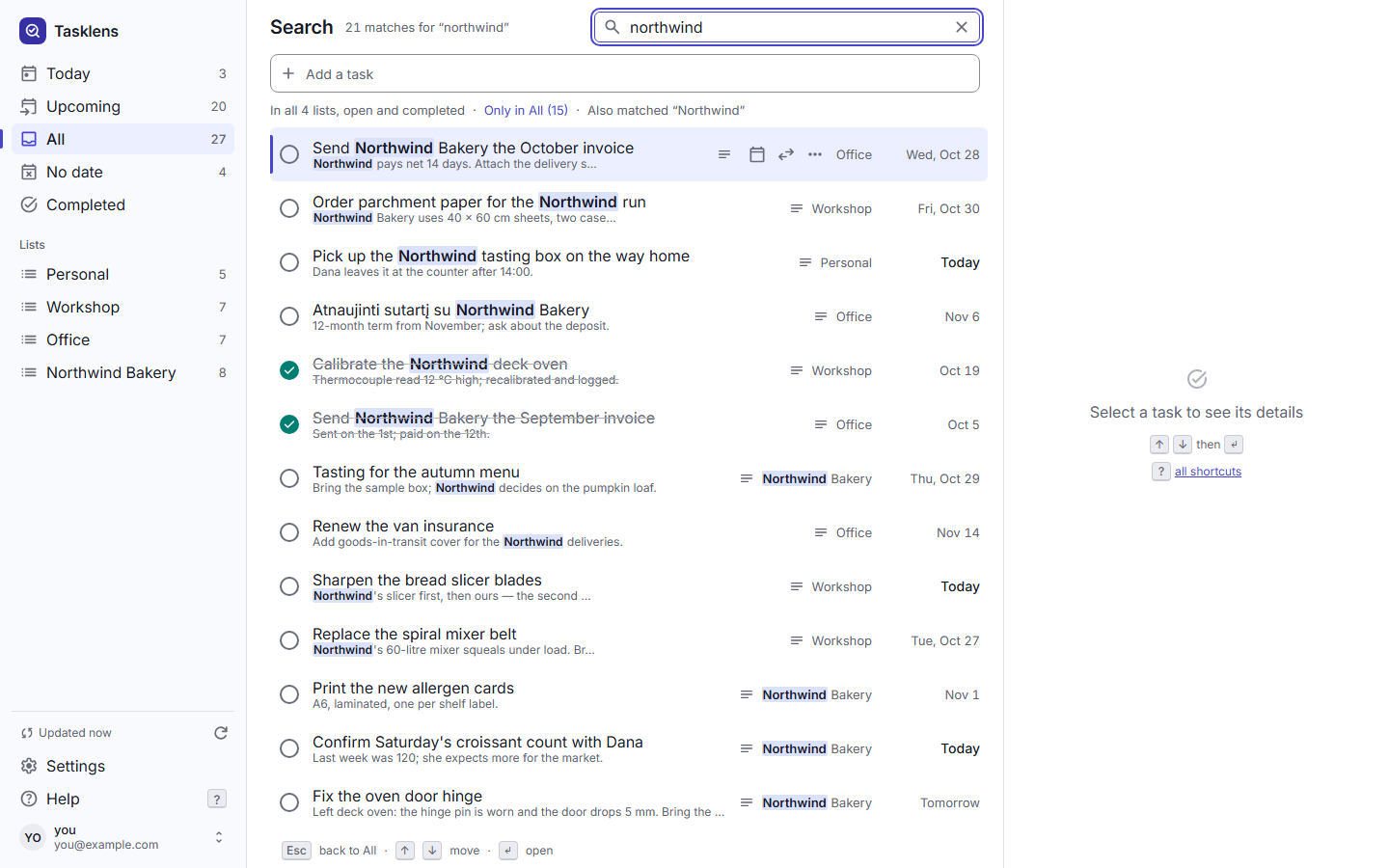
Titles, notes and list names, open and completed tasks, in all lists at once. A word matches inside a longer word, quotes find a phrase, and −word leaves a word out.
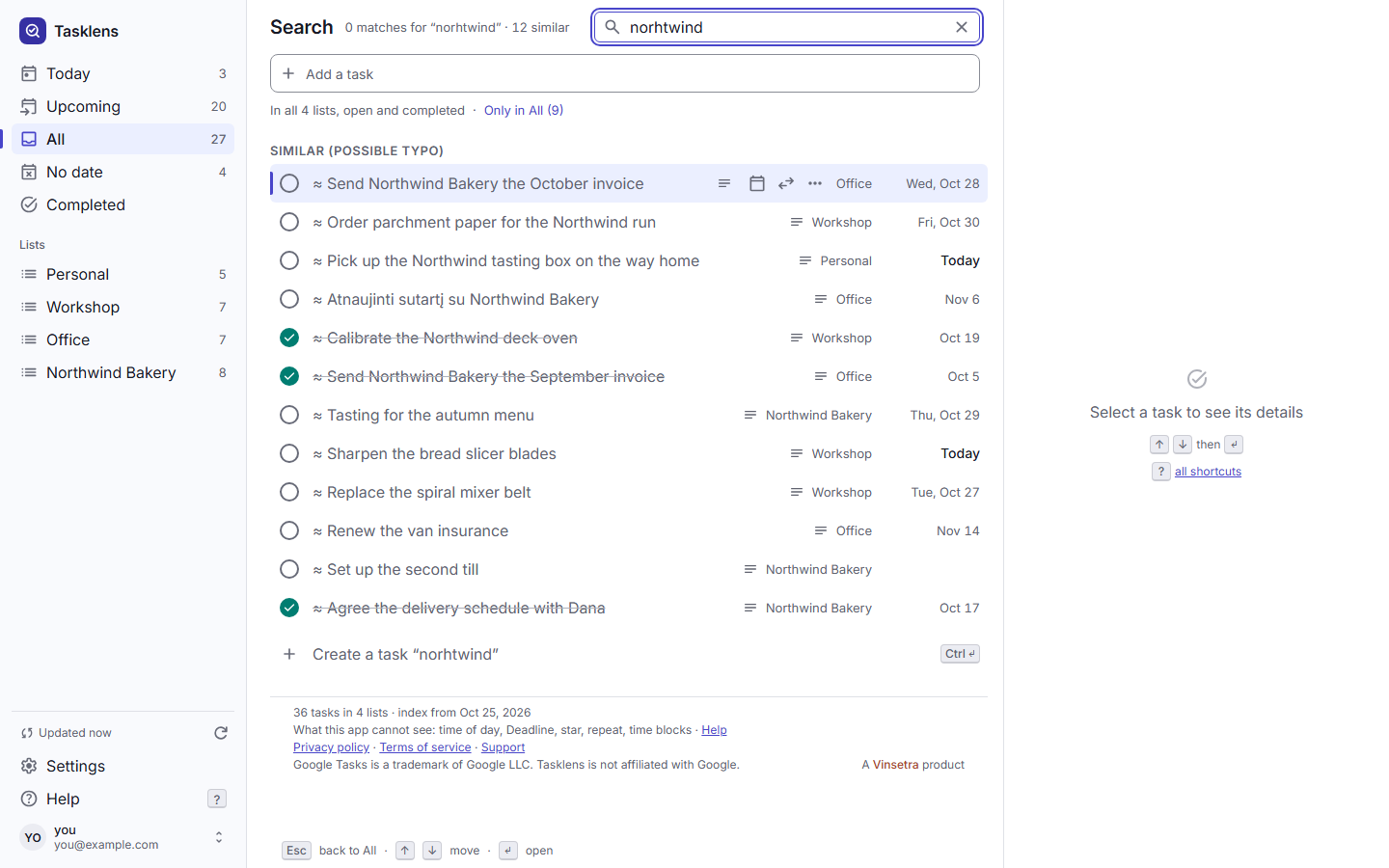
Words of four letters or more also find tasks that differ by one letter, shown apart as “Similar”. A query typed with the wrong keyboard layout is searched again in the other one, and letters with and without accents match.
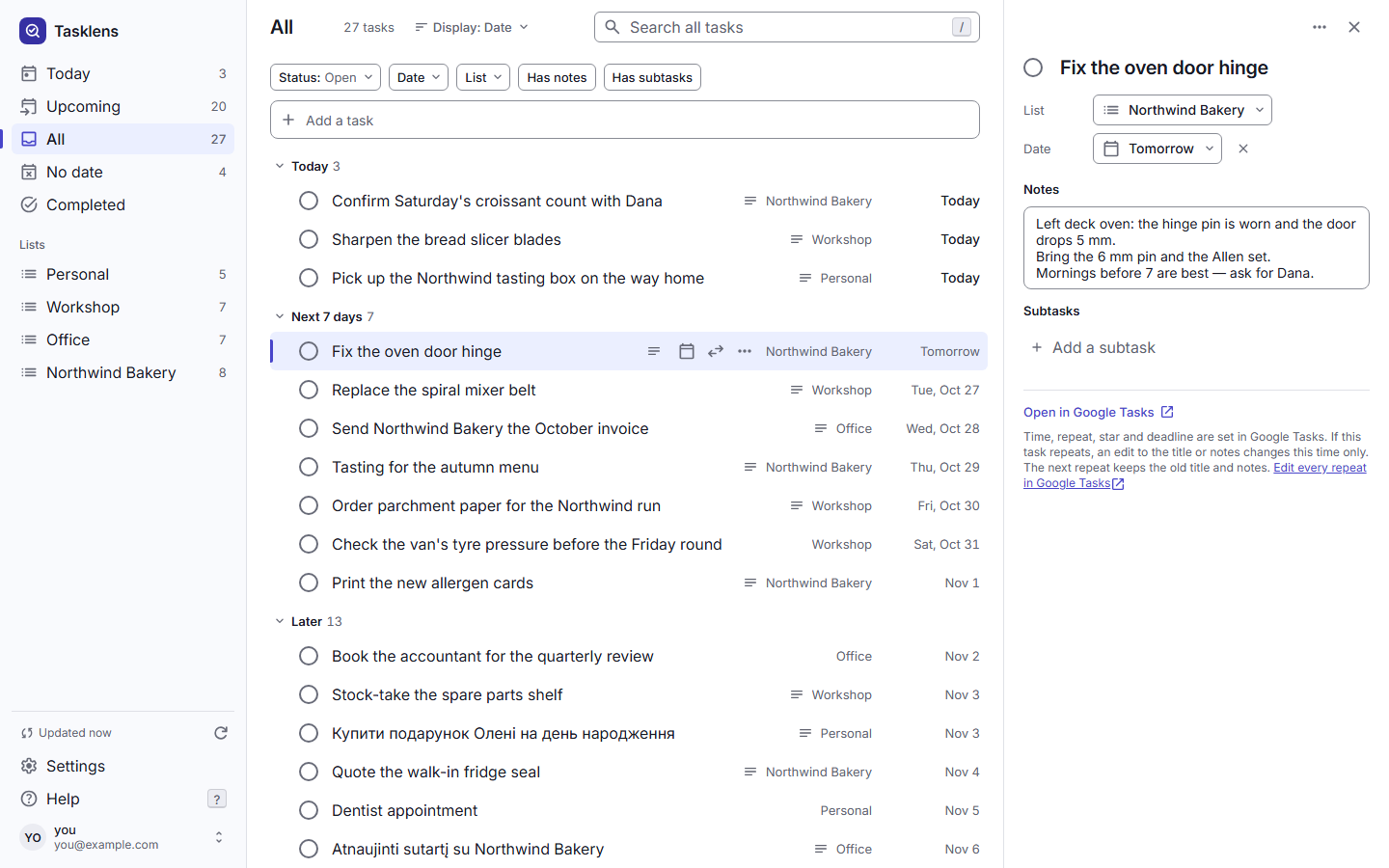
Today, Upcoming, All, No date and Completed. Filter by list, by date, or by whether a task was assigned from Google Docs or Chat, then save the set as a view of its own.
Set a date, move a task to another list, add subtasks, drag rows into your own order, or act on several tasks at once. Edits, moves, new tasks and deletions can be undone.
Type “Order oven gloves fri #Workshop” and the date and the list are picked up. Ctrl+K opens a command palette, and shortcuts follow the physical key, so they work on Ukrainian and Lithuanian layouts too.
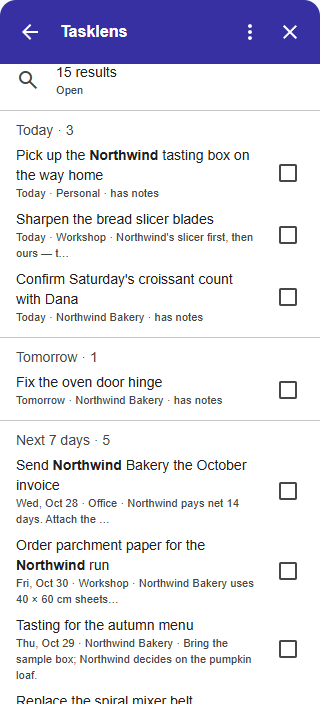
A side panel with the same tasks next to mail and calendar, now in testing. It turns an open email into a task: the subject becomes the title, a link to the email goes into the notes, and the message body is not copied.
Decisions behind it
Most of the work went into behaviour that only shows when something goes wrong: a change made somewhere else, a permission, a limit of Google's API. We would make the same decisions in a client's system.
Signing in asks only to view tasks. Permission to change them is asked the first time the user changes something, not before.
Before it saves an edit or a move, Tasklens checks that the task was not changed in the meantime. If it was, nothing is overwritten: the user chooses Keep mine, Take Google's or Merge by hand.
Google does not tell apps which tasks repeat. So Tasklens deletes only a task it knows does not repeat, a subtask or a task with subtasks, and sends the user to Google Tasks for the rest.
When an app saves a date, Google Tasks keeps the day and drops any time stored with the task. Tasklens warns before it saves, so nothing disappears without the user knowing.
Tasklens changes tasks only when the user asks, and only the tasks they act on. Nothing is written in the background, and no other task is touched.
Search, sync and these safeguards live in one shared core with no outside dependencies. The web app and the Gmail and Calendar side panel both run it, so a fix reaches both at once.
How it was made
Design proposals are judged side by side with Google Tasks' own screens before they are built, and a defect list is kept from the moment anyone notices a problem. More than 1,300 automated tests cover search, sync and the writes to Google, and releases are also checked on a real Google account.
Speed was measured, not assumed: in our performance test, a search with a typo across 10,000 tasks takes about 11 ms (median, in Node on a development machine).
We use AI in development, including implementation, code review and test preparation. We review and test the changes before they ship. Tasklens itself has no AI features.
Where it stands
Stated plainly, the same way the product states its limits.
Google Tasks is a trademark of Google LLC. Tasklens is not made by Google and is not affiliated with Google.
Let's talk
We build and improve business web apps and connect the tools your team already uses, with the same care for data, permissions and limits.